Task Manager for Unity
A downloadable tool
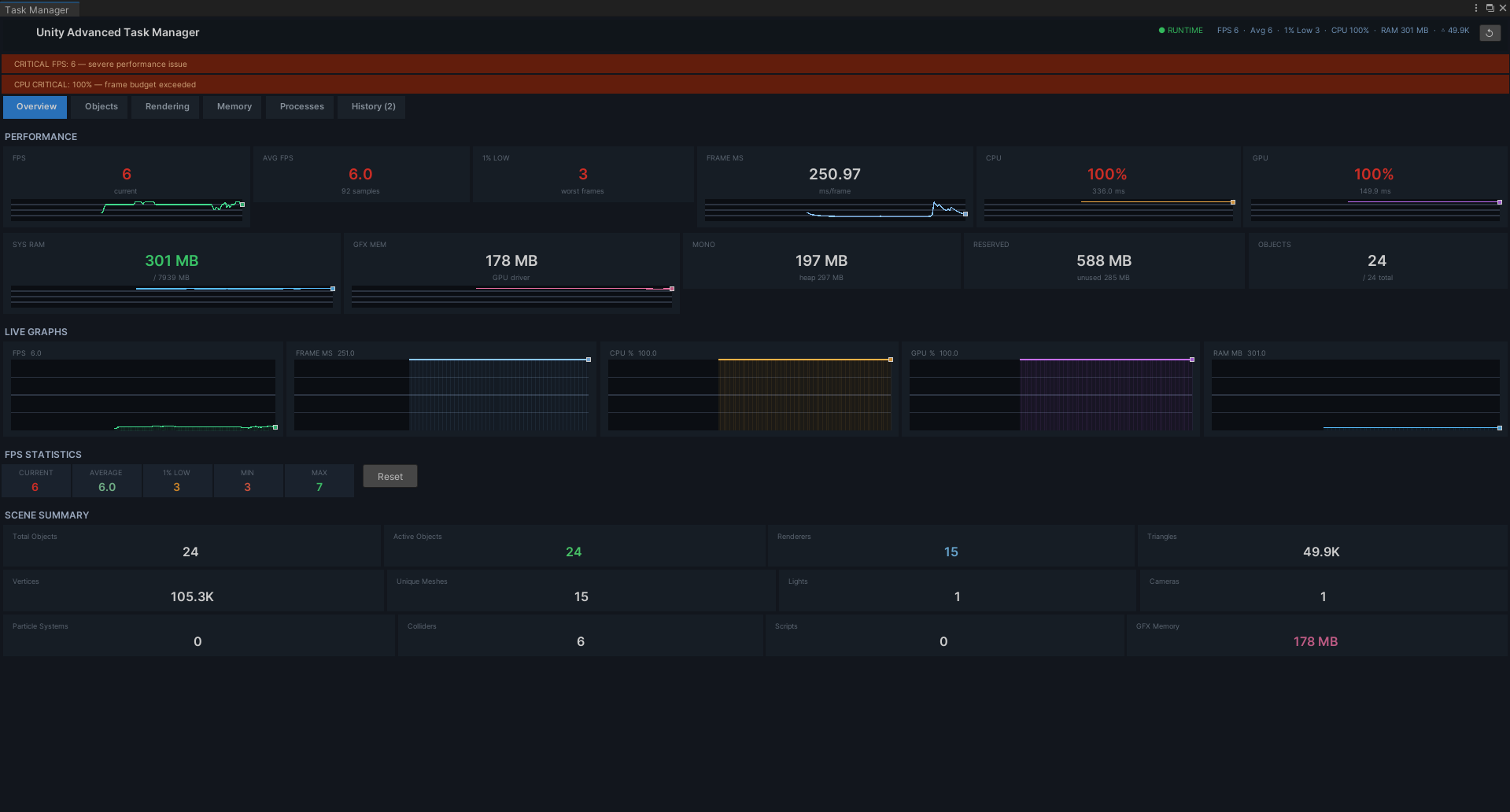
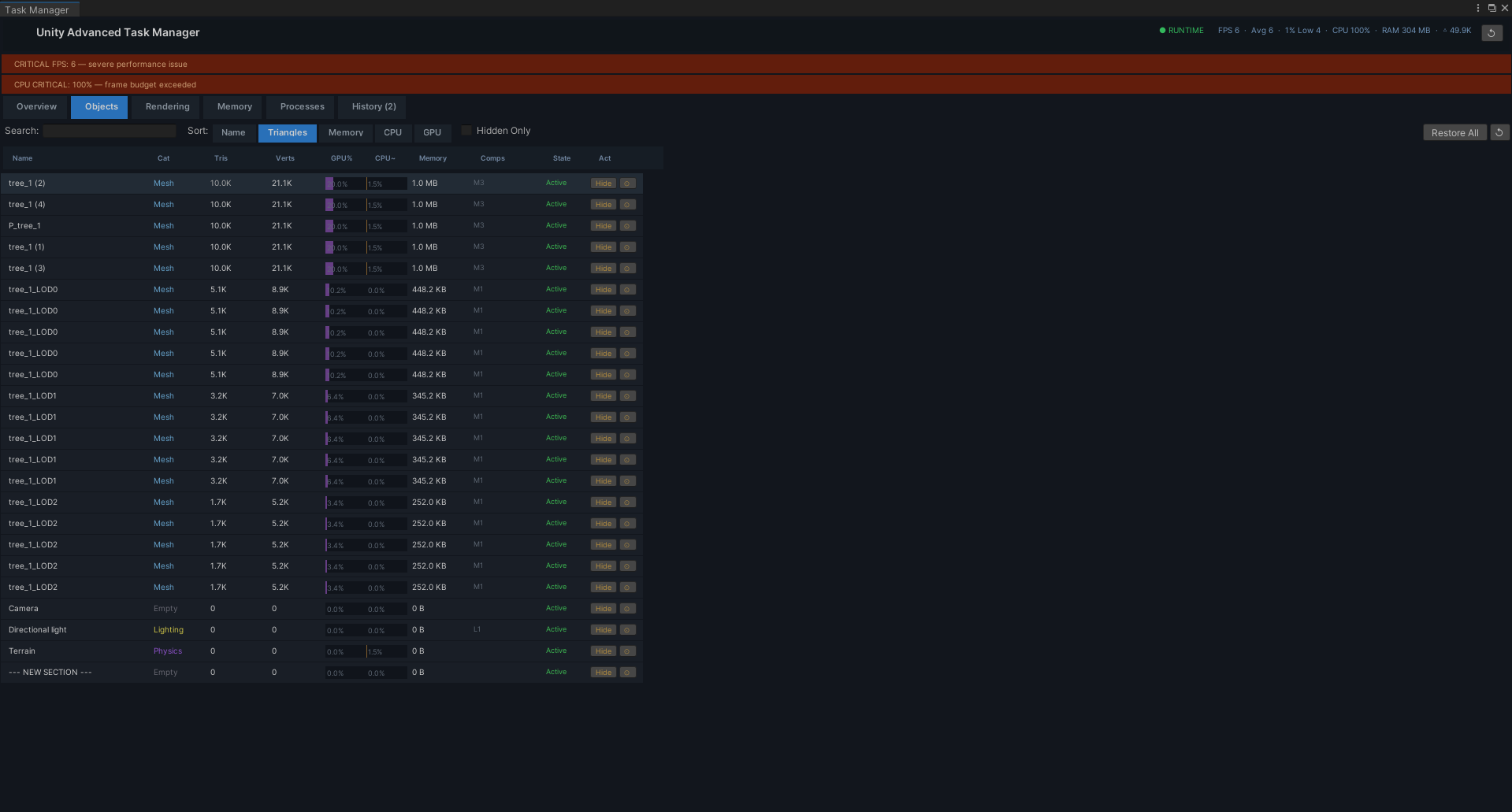
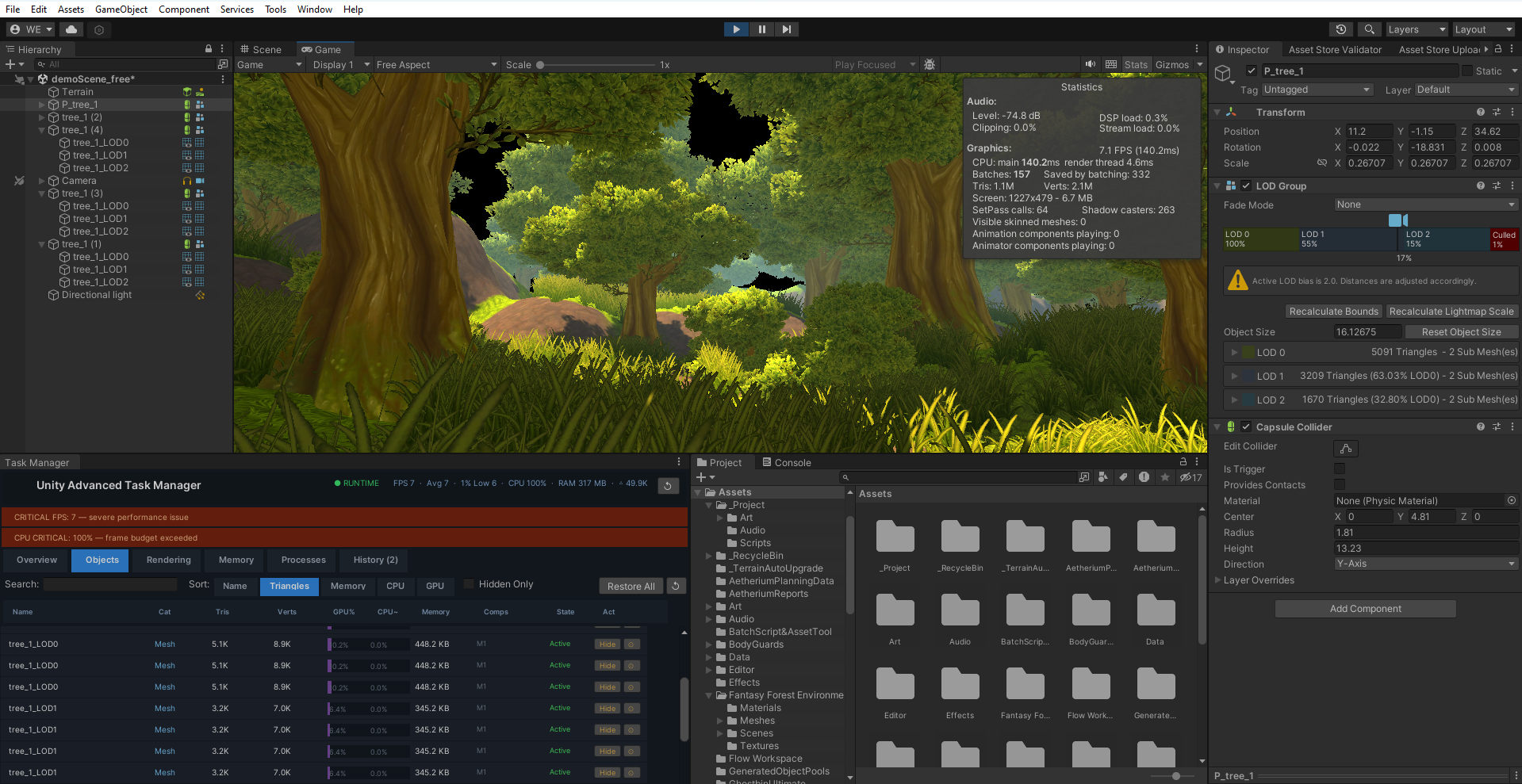
The Unity Advanced Task Manager is a professional-grade, highly-optimized profiler designed to give you a live, high-level overview of your scene's performance without the overhead of Unity's Deep Profile. Inspired by the simplicity and power of the Windows Task Manager, this tool provides a real-time dashboard of critical performance metrics, from FPS and memory usage to per-object CPU/GPU cost estimations.
Built from the ground up for performance, the tool itself is non-intrusive. It uses allocation-free data buffers, throttled updates, and chunked processing for its scene scans, ensuring that monitoring your game's performance doesn't introduce new performance issues in the editor.
The brand new Session History feature automatically saves a detailed performance snapshot every time you exit Play Mode. This allows you to objectively compare performance before and after making changes, making it an invaluable tool for optimization and debugging.
Is the provided content customizable?
This is a diagnostic tool focused on data presentation. While the UI is a polished dark mode, the primary customization lies in how you view data. You can sort the object list by various metrics (Name, Triangles, Memory, CPU/GPU cost), search for specific objects, and filter to view only objects you have temporarily hidden.
Suitable for a particular genre?
The Advanced Task Manager is a universal, genre-agnostic tool. It is essential for any developer working on projects where performance is critical, including mobile games, VR/AR applications, and complex PC/console titles with high object counts.
- Real-time Performance Dashboard: Monitor FPS, Frame Time (ms), CPU, GPU, and RAM usage with live-updating values and historical sparkline graphs.
- Per-Object Statistics: The "Objects" tab provides a detailed breakdown of every object in your scene, including its triangle/vertex count, component count, and estimated CPU, GPU, and Memory impact.
- Advanced Filtering & Sorting: Instantly find the most expensive objects by sorting the list by triangles, memory usage, or estimated performance cost. Use the search bar to filter by name.
- Interactive Object Management: Directly from the task manager list, you can Hide an object to see its performance impact, Restore it, ping it in the hierarchy, or select it.
- Automated Session History: Automatically saves a full performance snapshot (FPS min/max/avg, peak memory, scene counts, alerts) to a history log every time you exit Play Mode. Review up to 20 previous sessions to track your optimization progress.
- Highly Optimized Core: Designed to run without causing editor lag. It uses non-blocking, chunked scene scans, allocation-free ring buffers for data, and throttles its own update frequency to remain lightweight.
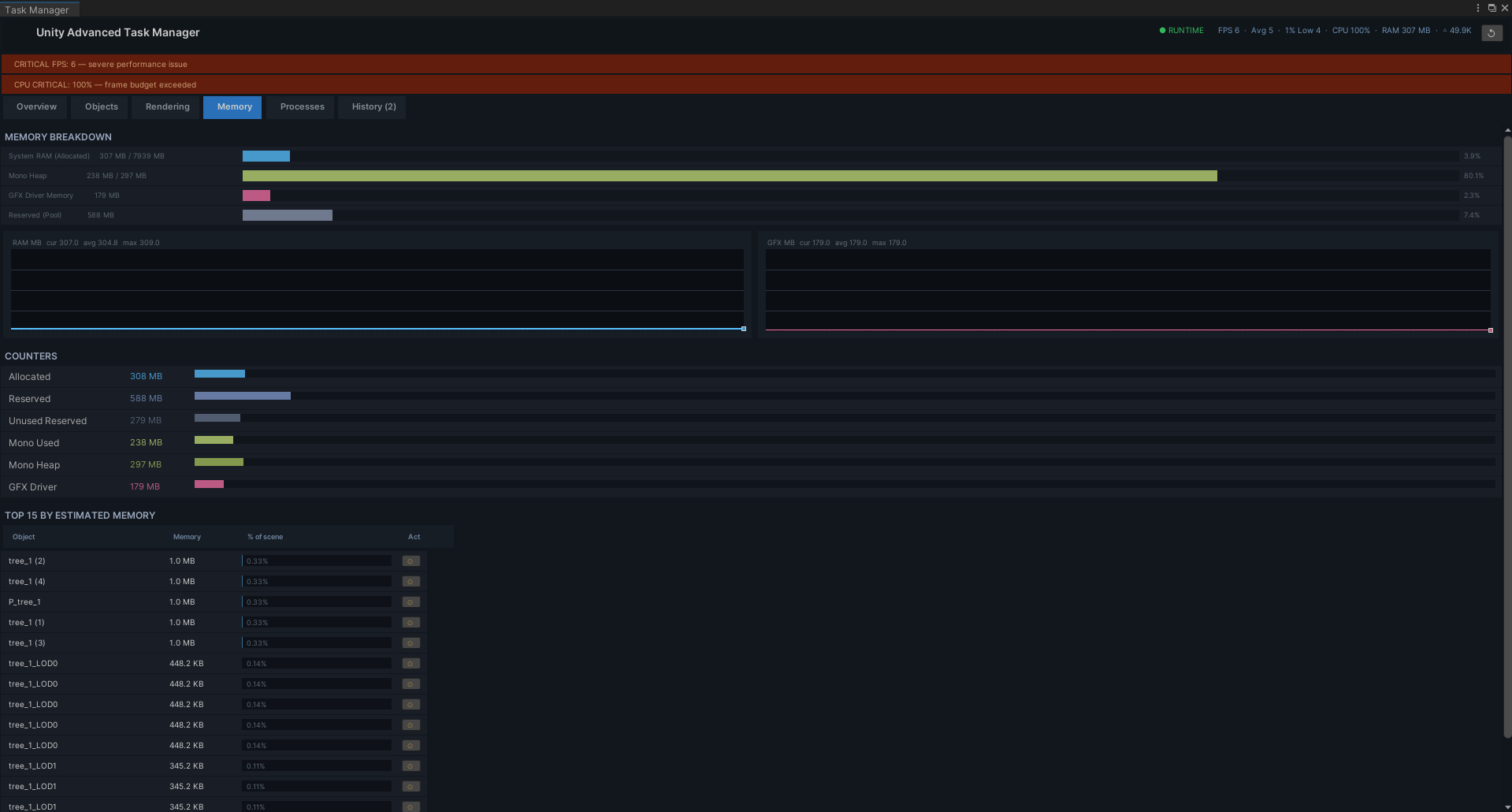
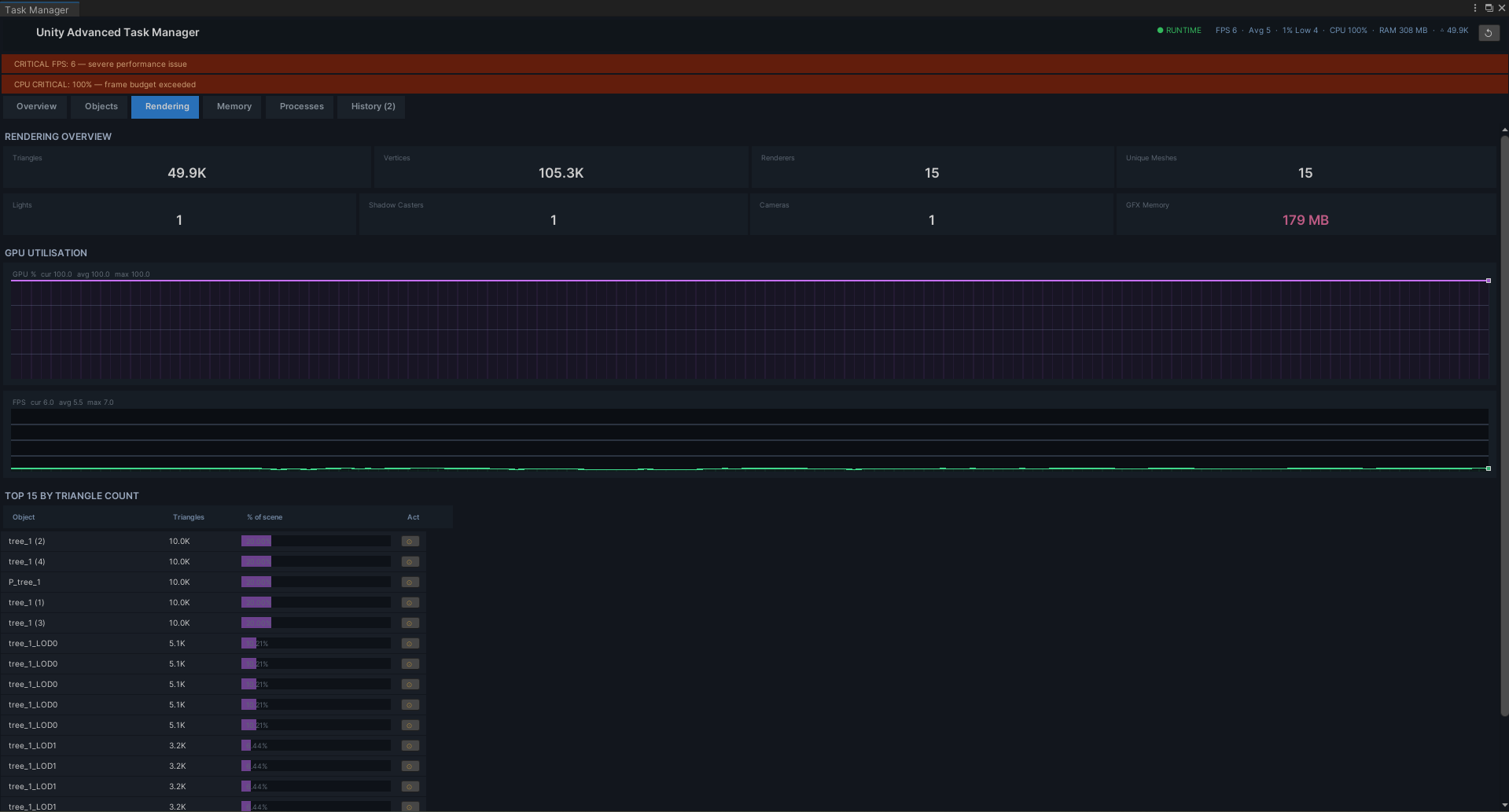
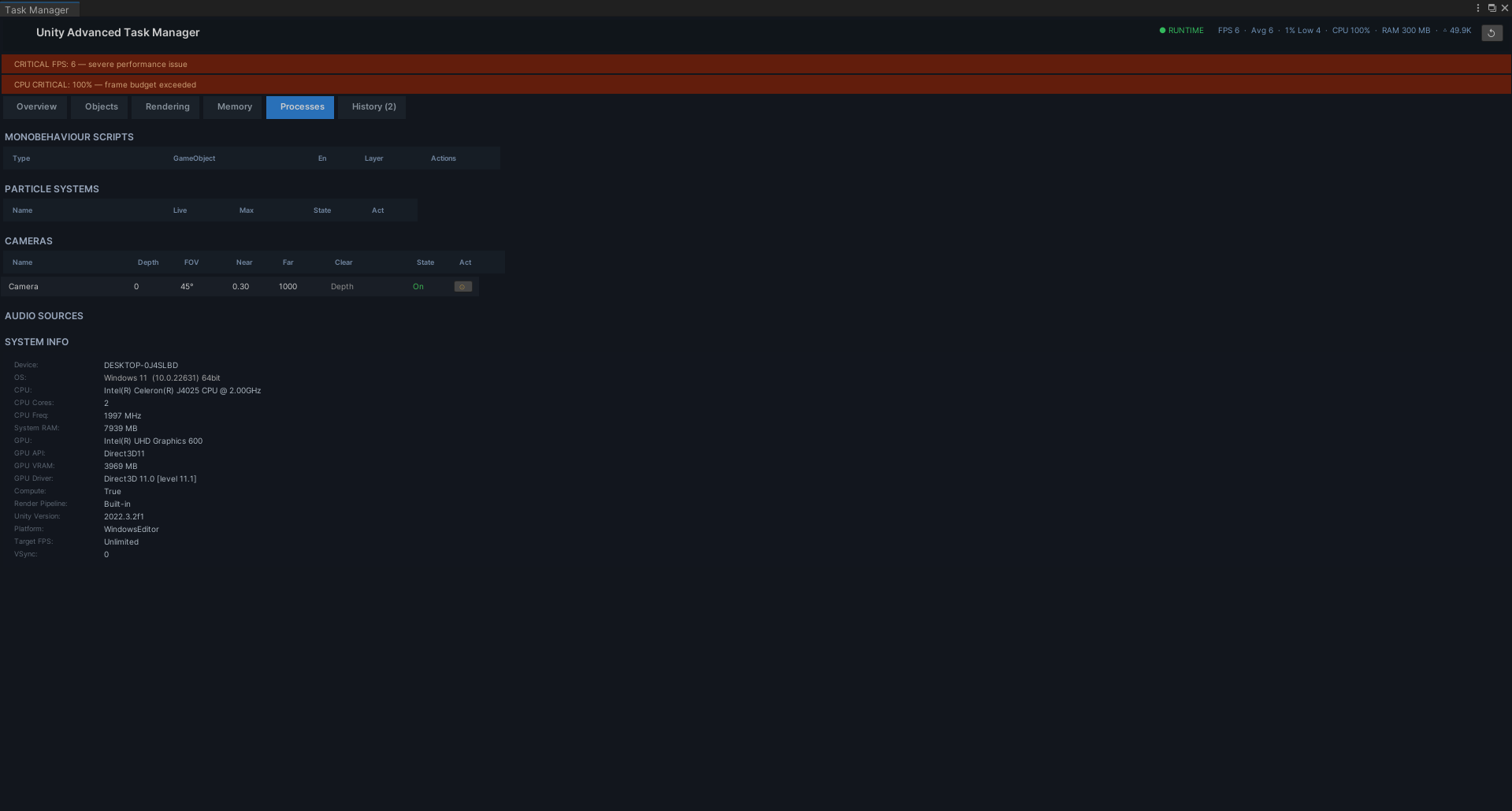
- Detailed Breakdowns: Individual tabs for Rendering, Memory, and Processes provide deep dives into polygon counts, shadow casters, memory allocation, and lists of all MonoBehaviours, Particle Systems, and Cameras.
- Single-Script Installation: No dependencies or complex setup. Simply drop the script into an Editor folder.
Purchase
In order to download this tool you must purchase it at or above the minimum price of $10 USD. You will get access to the following files:
Leave a comment
Log in with itch.io to leave a comment.